
Saarix Wordpress Theme - Rating, Reviews, Preview, Demo & Download
Theme Description

Saarix: the Elementor theme for SaaS, AI and software websites
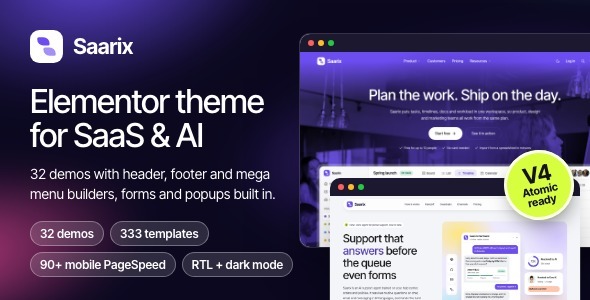
Saarix gives SaaS, AI and software companies a finished, fast website without a stack of extra plugins. Pick one of 32 demos (30 SaaS and startup demos, plus a WooCommerce digital shop and a complete Arabic RTL demo), import it with one click, set your colors and fonts once, and edit everything in Elementor.
View the live preview · Read the documentation


What you get
- 32 demos: 30 SaaS and startup sites, a WooCommerce digital shop and a complete Arabic RTL demo, each with its inner pages.
- 333 library templates, 32 widgets and 31 shared inner pages.
- Header Builder, Footer Builder and Mega Menu Builder, designed in Elementor. No mega menu plugin needed.
- Forms, popups and a cookie bar built in, with no extra plugins.
- One-click import with Undo. A snapshot is saved before every import.
- 20 theme option tabs, synced live to Elementor, and 7 motion presets.
- 90+ mobile PageSpeed on every demo, with no caching plugin.
- Light, Dark or System color modes, RTL and translation ready.
- WooCommerce styled; EDD styles included.
- Only 2 required plugins: Elementor (free) and the bundled Saarix Core.

Ready for Elementor V4 Atomic
Editing, saving, and V3 and V4 elements on one page were tested on Elementor 4.3.5. All 32 Saarix widgets work in a V4 session, and the theme colors and fonts become V4 variables (saarix-primary, saarix-ink, saarix-font-heading, saarix-font-body), synced both ways. Saarix widgets are classic Elementor widgets that run inside V4.

Fast out of the box, with no caching plugin
Every demo scores 90+ on Google PageSpeed Insights mobile, with 0 ms total blocking time and no caching plugin. The speed comes from the code, not a cache: lean templates, inline SVG icons and only the CSS and scripts each page uses. The screenshots above are real demo home pages: Pingdom Tools from Frankfurt on the AI Chatbot demo (grade A 95, 643 KB, 1.99 s, 36 requests) and PageSpeed Insights mobile on the Payroll demo (100 for Performance, Accessibility, Best Practices and SEO). Your score depends on your host, content and plugins.

32 demos. Each one is a real site, not a mockup.
Every demo has a live link under its image. Import the home page only, the home page with its inner pages, or a single page. Each demo is imported on its own.
- AI demos: AI Agents, AI Chatbot, AI Data Analyst, AI Image Generator, AI Medical Scribe, AI Meeting Notes, AI Writer, AI Video Editor, AI Recruiting.
- Fintech demos: Accounting, Crypto Exchange, Insurance, Business Banking, Payments, Spend Management, Wealth Management, Payroll.
- Marketing and sales demos: Email Marketing, Social Media, CRM, Product Analytics.
- Developer and security demos: Hosting, Website Builder, Cyber Security.
- Productivity demos: Helpdesk, Project Management, Booking, Online Courses.
- Commerce demos: Ecommerce Platform, Point of Sale.
- WooCommerce digital shop: Digital Shop.
- Arabic right-to-left demo: Arabic RTL.

AI Agents live demo · AI Chatbot live demo

AI Data Analyst live demo · AI Image Generator live demo

AI Medical Scribe live demo · AI Meeting Notes live demo

AI Writer live demo · AI Video Editor live demo

AI Recruiting live demo · Accounting live demo

Crypto Exchange live demo · Insurance live demo

Business Banking live demo · Payments live demo

Spend Management live demo · Wealth Management live demo

Payroll live demo · Email Marketing live demo

Social Media live demo · CRM live demo

Product Analytics live demo · Hosting live demo

Website Builder live demo · Cyber Security live demo

Helpdesk live demo · Project Management live demo

Booking live demo · Online Courses live demo

Ecommerce Platform live demo · Point of Sale live demo

Digital Shop live demo · Arabic RTL live demo


31 shared inner pages
About, services, features, pricing, careers, changelog, help center, legal pages, 404 and coming soon, styled for every demo. The help center is built with the Help search, Help topics and Help articles widgets, and articles are normal posts. Logged-in administrators always see the real site while coming soon or maintenance mode is on, so you are never locked out.


Header, footer and mega menu builders
Headers, footers and mega menu panels are Elementor templates under Saarix > Site layouts. Start from ready-made presets or design your own. Switch on Mega menu for any menu item, pick a panel, and set its width, alignment, a badge and an icon. Panels open on hover, click or keyboard and become sections of the mobile menu.
- 3 mobile menu styles (Sheet, Drawer, Card) and 3 menu buttons, each with search and a Light / Dark / System switch.
- Header choice per page; sticky and transparent behavior from Theme options.
- Footer presets from the demos, with a newsletter card built in.

Template library: 333 templates
Every distinct section from the demos and inner pages, one click away inside Elementor. Press the Saarix button in the editor, filter by category or by demo, and insert. Inserted templates pick up your colors and fonts. The library unlocks with license activation.


20 tabs of theme options, synced live to Elementor
Colors, fonts, type sizes and the container width are your Elementor Site Settings, so changing them in one place updates the other. A search box finds any setting.
- General: Dashboard, Demos, License.
- Design: Colors, Typography, Layout, Buttons, Forms.
- Site parts: Header, Footer, Social profiles, Page defaults, Blog, Shop, Site features.
- Behavior: Motion, Performance.
- Advanced: Integrations and code, 404 and maintenance, Import / Export.


Forms, popups and a cookie bar, without extra plugins
- Contact form builder: text, email, select, textarea and more, with required fields, a recipient, subject and a thank-you redirect. The form works without JavaScript, and every submission is saved under Saarix > Messages, even if email fails.
- Newsletter forms can send to Mailchimp or Brevo with your own API key.
- Prefer a plugin? Contact Form 7, WPForms and Fluent Forms are styled too.
- Popups: announcement bars, newsletter popups, offer modals and off-canvas panels as a centered modal, side panel or bottom bar. Trigger on a link, a delay, exit intent or scroll depth, and set how often and where they show. Only popups for the current page load their code.
- Cookie bar: a consent bar styled to match, with a remembered choice. Analytics and Tag Manager can wait for visitor consent.

WooCommerce, styled to match
Sell plans, downloads or add-ons. Shop styles load only when WooCommerce is active, and the digital shop demo shows every page: software product pages with a monthly / yearly switch and a sticky buy box, digital asset pages, a side cart and a two-step checkout when nothing ships. EDD styles are also included.

Light, Dark or System, plus 7 motion presets
Visitors pick a color mode, or it follows their device. Global colors are set for both modes with a live preview. Entrance and scroll motion comes from 7 presets with a Play preview, respects reduced-motion settings and loads only where it is used. Saarix is translation ready, with .pot files and WPML and Polylang configuration.

Right-to-left and Arabic
A complete Arabic demo with a matched Arabic font (IBM Plex Sans Arabic, loaded only for Arabic-script languages). The header, mega menus, mobile menu, footer, forms, pricing, FAQ, tabs, popups and cookie bar all mirror. Any demo works in RTL when the site language is right-to-left.

An import that follows your brand, and can be undone
A setup wizard checks your server, installs the plugins with your permission and imports a demo in resumable steps. It flags server issues first and detects hosts that block outside connections. Nothing you already have is overwritten.
- Four ways to import: home page only, home plus inner pages, a single page as a draft, or sample shop products when WooCommerce is active.
- Colors that follow your site: new pages match your colors and fonts from Theme options, and a built-in tool makes existing Elementor content follow site colors, with a before-and-after preview.
- Undo: a snapshot is saved before every import. Undo removes only what the import created and puts your settings back. Pages, menus, logo and API keys are never overwritten.

Performance, by design
- Each widget brings its own CSS and script, so a page loads only what it uses. Elementor front-end scripts are skipped on pages that do not need them.
- Inline SVG icons, no icon fonts.
- A self-hosted theme font; a Google font you pick is downloaded once to your own site.
- Only the image sizes Saarix uses are created.
- The Performance tab decides which assets load, which image sizes exist and what Elementor loads.
Measured on the real demo home pages with PageSpeed Insights mobile, one run per page, no caching plugin. Pingdom Tools: grade A 95 on the AI Chatbot demo and A 93 on Insurtech (1.33 s, 27 requests). Your score depends on your host, content and plugins.

License, updates, docs and support
Everything works without activation: the theme, every option and every widget. Activation adds demo content, the template library, automatic updates and support. Sign in with Envato or paste a purchase code; Saarix reads only your username and purchases of this item. One local site and one staging site under your domain are free, and an activated site keeps working if the license server cannot be reached. Theme and Saarix Core updates appear under Dashboard > Updates, and updating never changes your content or options.


Requirements
- WordPress 6.5 or newer (tested up to 7.1.4).
- PHP 7.4 or newer; PHP 8.1 or newer recommended (tested on 8.3).
- Elementor (free) from wordpress.org, tested with 4.3.5. Elementor Pro is not required.
- Saarix Core, bundled with the theme and installed from the setup wizard.
- WooCommerce is optional (tested with 11.2.1); it is never installed by a demo import.
What is in the download
- saarix.zip: the Saarix theme.
- saarix-child.zip: the Saarix Child theme.
- Plugins/saarix-core.zip: the Saarix Core plugin (widgets, theme options, builders, importer).
- Documentation: offline documentation (also online).
- Licensing: GPL license text and third-party credits.
- readme.txt and changelog.txt.
Demo content (pages, images and templates) is downloaded by the setup wizard after license activation. Demo photos are for preview and demo content only.
Support
Support is included for 6 months from purchase through the Envato item support policy and can be extended on ThemeForest. It covers help installing and activating the theme and plugins, fixing bugs in Saarix or Saarix Core, and questions about the documented features. It does not cover design work or customization, third-party plugins or host setup, or problems caused by code changes. Send requests through the item support tab with your purchase code, a link to your site and clear steps to reproduce.
Online documentation: install, import, customize and launch, with screenshots for every step.
Credits
- Inter Tight font, SIL Open Font License 1.1 (Google Fonts).
- IBM Plex Sans Arabic font, SIL Open Font License 1.1 (Google Fonts).
- Lucide icons (ISC) and Tabler Icons (MIT), as inline SVG.
- TGM Plugin Activation (GPL v2 or later).
- Photos from Pexels and Unsplash, used in demo content only, under the Pexels and Unsplash licenses.
- Product screens and dashboards in the demos are drawn for Saarix. Demo names, companies and testimonials are fictional.
The full list with license texts is in Licensing/credits.txt in the download. Saarix, Saarix Child and Saarix Core are released under the GNU General Public License, version 2 or later.
Changelog
1.0.0: initial release
- Saarix theme, styled to match the demos with no plugin active (posts, pages, comments, widgets, search, 404, WooCommerce when active).
- Saarix Core plugin: 32 Elementor widgets, global kit, Theme options with 20 tabs.
- 32 demos (30 SaaS + shop + Arabic RTL), shared inner pages, setup wizard with server check, resumable import and Undo.
- Header, footer and mega menu builders; contact form builder with Messages; popups, template library, help center, 404, coming soon and maintenance modes, cookie bar.
- Elementor V4 (Atomic) variables kept in sync with Saarix colors and fonts.
- Translation ready (.pot files, WPML and Polylang configuration), RTL ready.