
Ourax Wordpress Theme - Rating, Reviews, Preview, Demo & Download
Theme Description

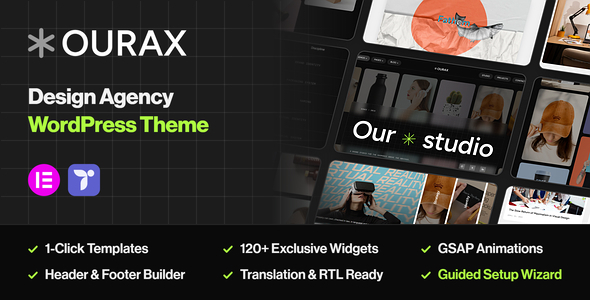
An editorial WordPress theme for brand and design studios
Ourax is an editorial WordPress theme for brand and design studios, built for Elementor. Ink on porcelain with one sharp lime accent, so the photography leads and the details still catch the eye. Section titles split across two lines, ink then grey, and a mono register sets every eyebrow and item number.
The demo opens on a 192px wordmark. It has a projects index with its own case study page, services with pricing and an FAQ on an ink band, a studio page, a blog and a contact page, all in a 1600px content width that gives large photography room. The setup wizard imports all of it in one click, and every section stays editable in Elementor.
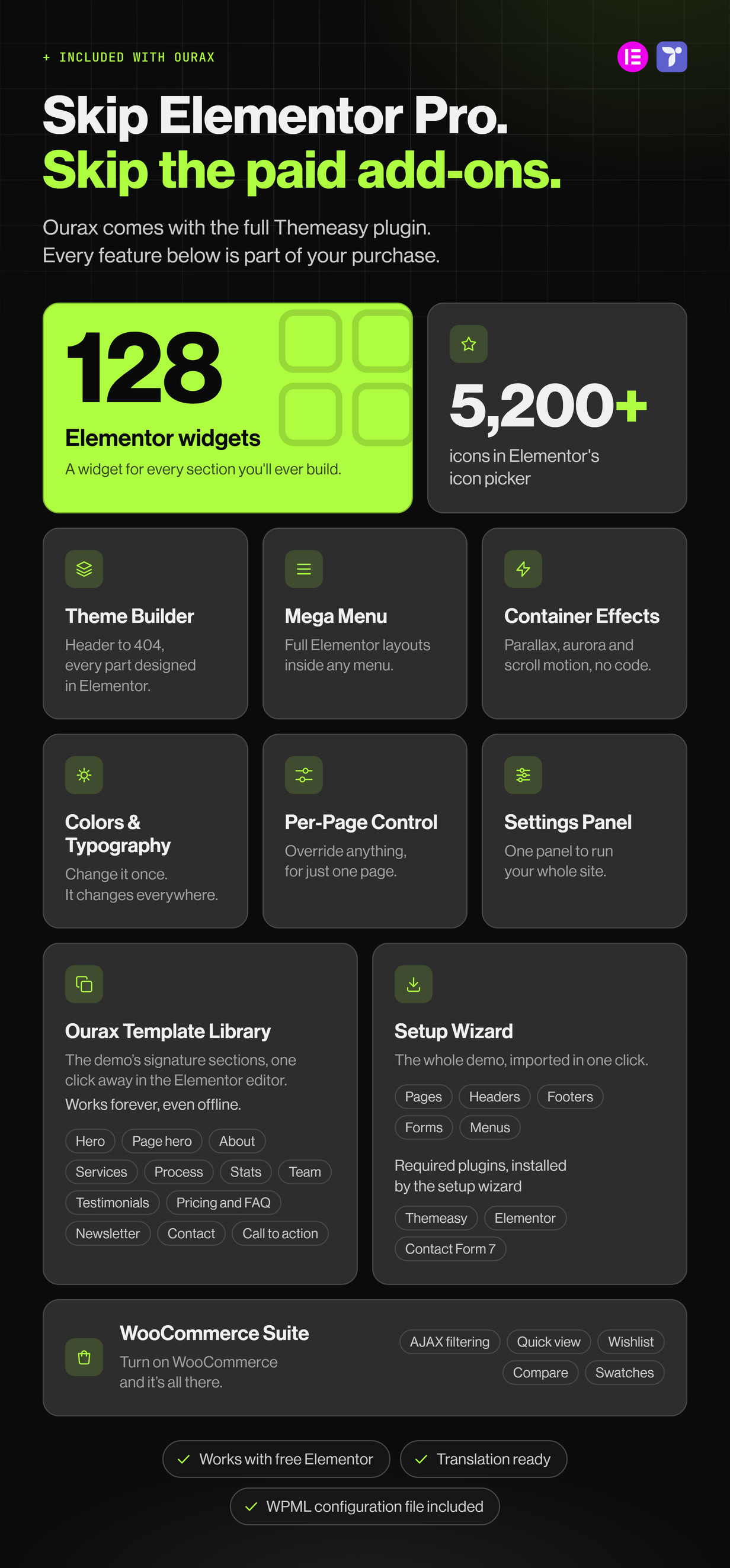
Ourax runs on the free version of Elementor. The Themeasy plugin comes with it and adds 128 widgets, a visual Theme Builder, a mega menu, and site-wide colors and typography.
Ourax at a glance
- 192px wordmark that anchors the home page
- Projects index with a dedicated case-study page
- Pricing and FAQ set on an ink band
- Pill buttons that invert to white on the dark bands
- 1600px content width for large photography

Inside the Ourax demo
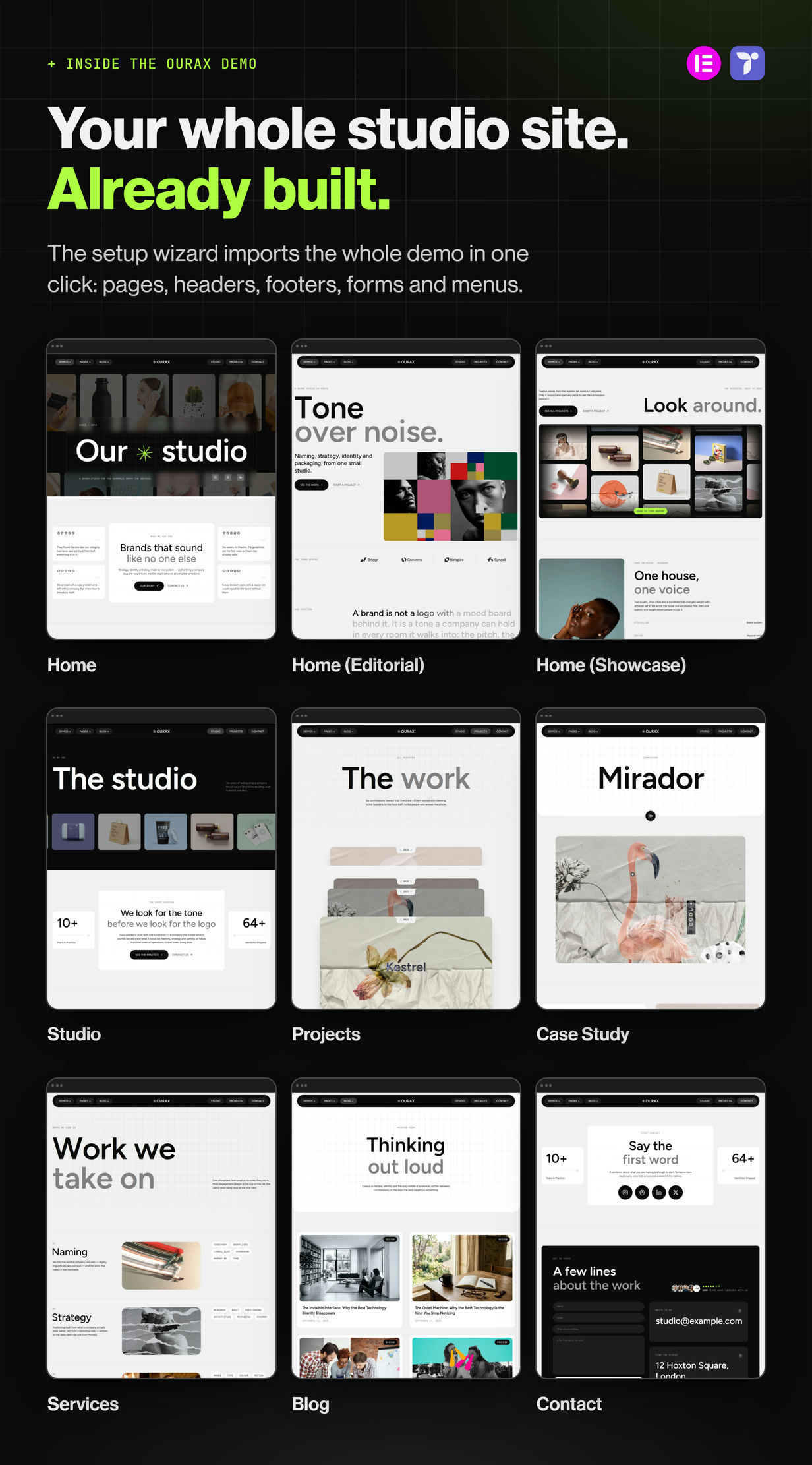
The setup wizard imports the whole demo in one click: pages, headers, footers, forms and menus.
- 9 pages: Home, Home (Editorial), Home (Showcase), Studio, Projects, Case Study, Services, Blog and Contact
- A header and a footer, built as Global Sections you edit in Elementor
- Blog templates: breadcrumbs, post intro, featured image, share buttons, post navigation, author box, related posts and comments
- A 404 page, search results and a right sidebar
- Contact Form 7 forms: a contact form and a newsletter sign-up
- A mega menu, a custom cursor and a scroll-to-top button
A monograph about the work
Ourax is named after the resonant wood an instrument is built from. It was designed for a brand studio that looks for the harmonic above the obvious.
The canvas is porcelain and the ink is near-black at full contrast. One lime accent marks the icons, stars and hover states, and the photography carries the rest of the color. The result reads like a monograph about the work.
The two-tone title
Every section title runs on two lines: the first in ink, the second in flat grey. It appears once per band and nowhere else.
Pills against soft corners
Buttons are full pills with a leading glyph. Cards, images and panels sit at radius 16.
A mono register
DM Mono sets every eyebrow and item number, behind a leading + or asterisk.
Palette
- Porcelain #F4F4F4: the canvas
- Paper #FFFFFF: cards and panels
- Ink #0A0A0A: type, buttons, the ink bands
- Grey #808080: the second line of every title
- Hairline #E2E2E2: borders and dividers
- Char #181818: panels on the ink bands
- Lime #AFFC41: icons, rating stars and hover states
Typography
Figtree for headings and text, DM Mono as the accent.

Powered by the Themeasy plugin
Ourax comes with the full Themeasy plugin. Every feature below is part of your purchase.
Theme Builder
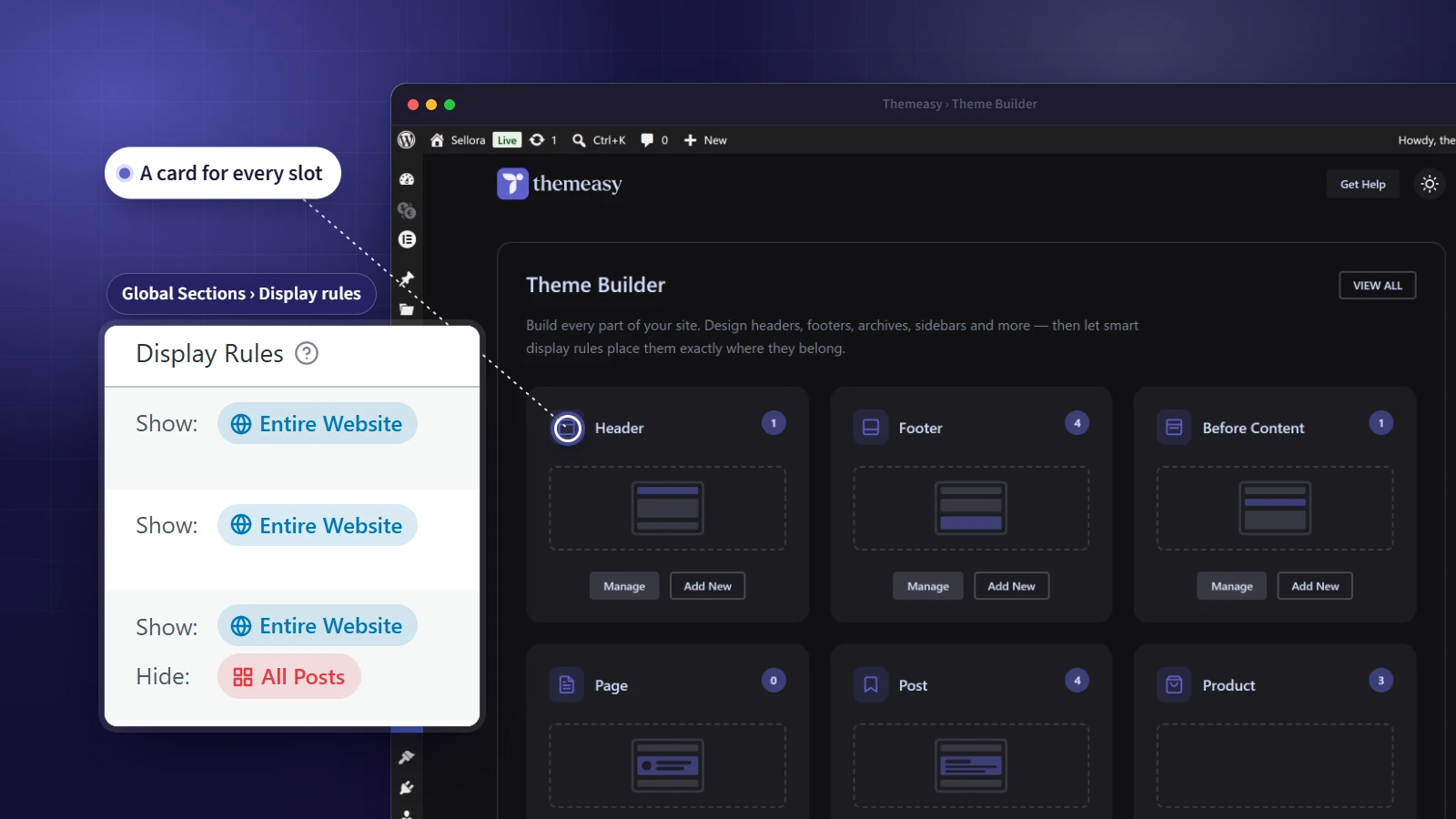
Design every part of your site, visually. Build headers, footers, archives, single posts and more in Elementor, each one a reusable Global Section placed exactly where your rules say.
|
|
Widget Library
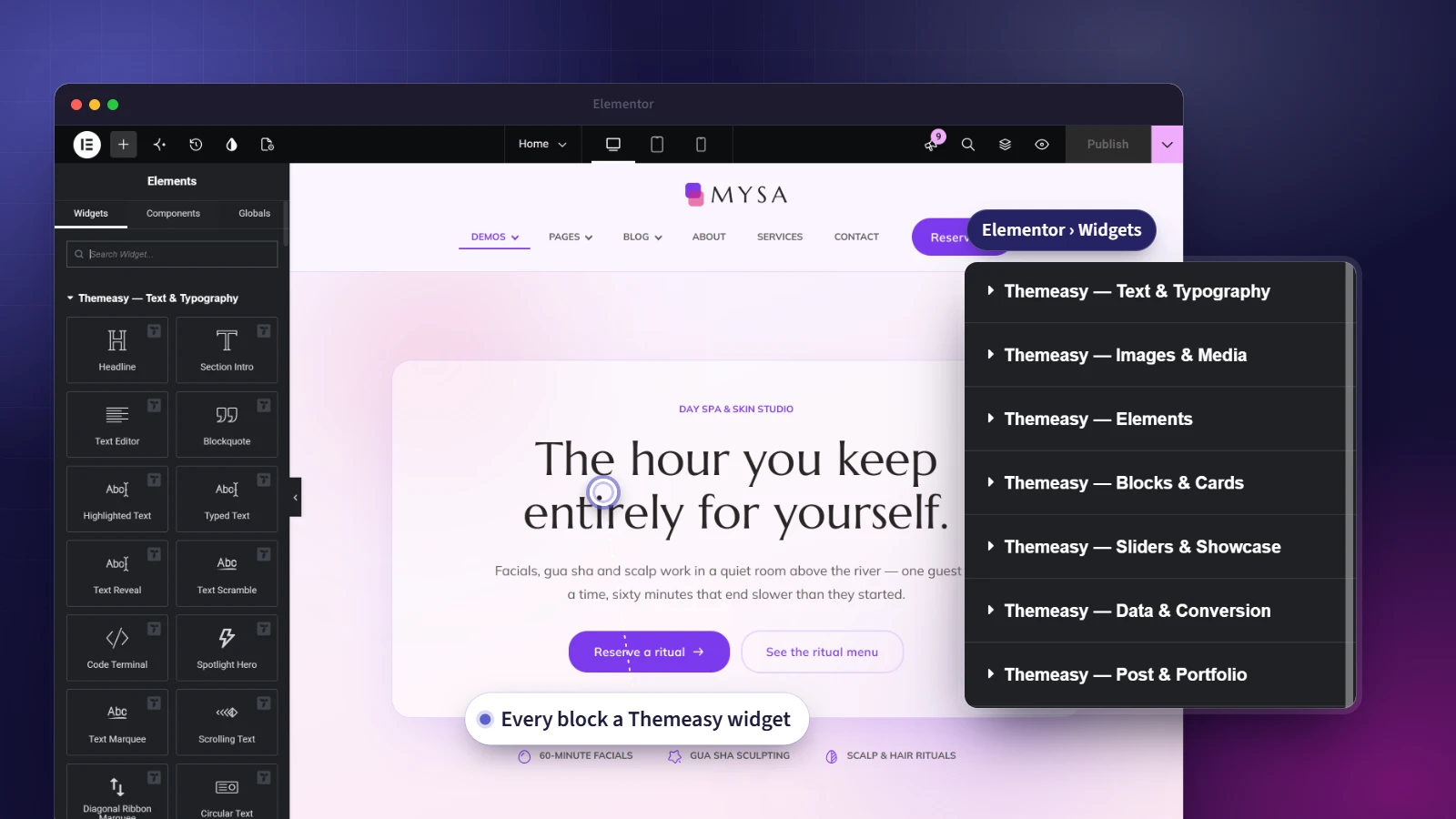
A widget for every section you’ll ever build. 128 polished Elementor widgets across twelve categories, from text, media and sliders to dynamic post and product loops, headers, footers and more.
|
|
Container Effects
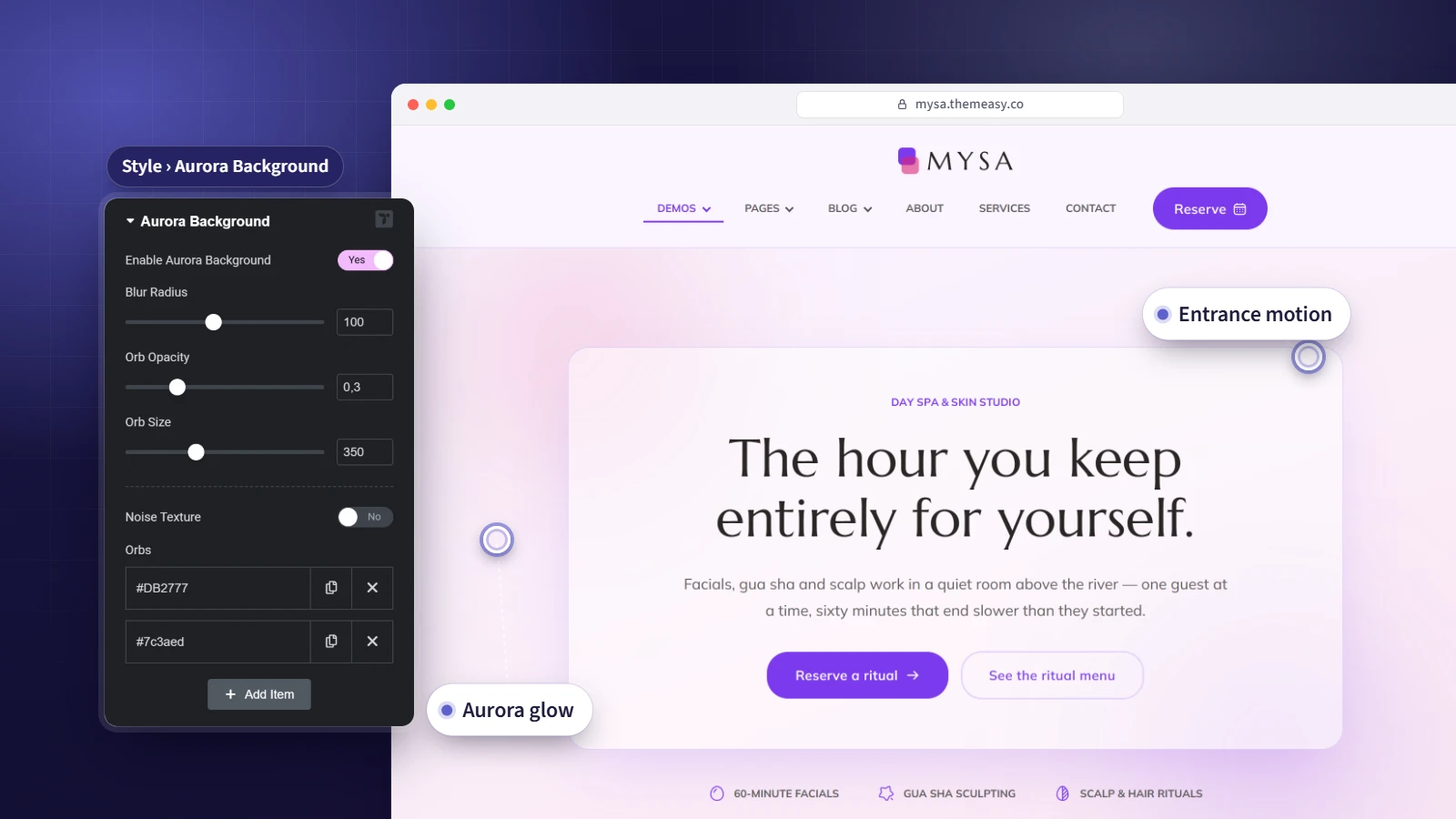
Motion and rich backgrounds on any container, no code. Add entrance motion, hover interactions, sticky columns, aurora glows, grid patterns, parallax layers and per-container dark mode to any Elementor section.
|
|
Mega Menu
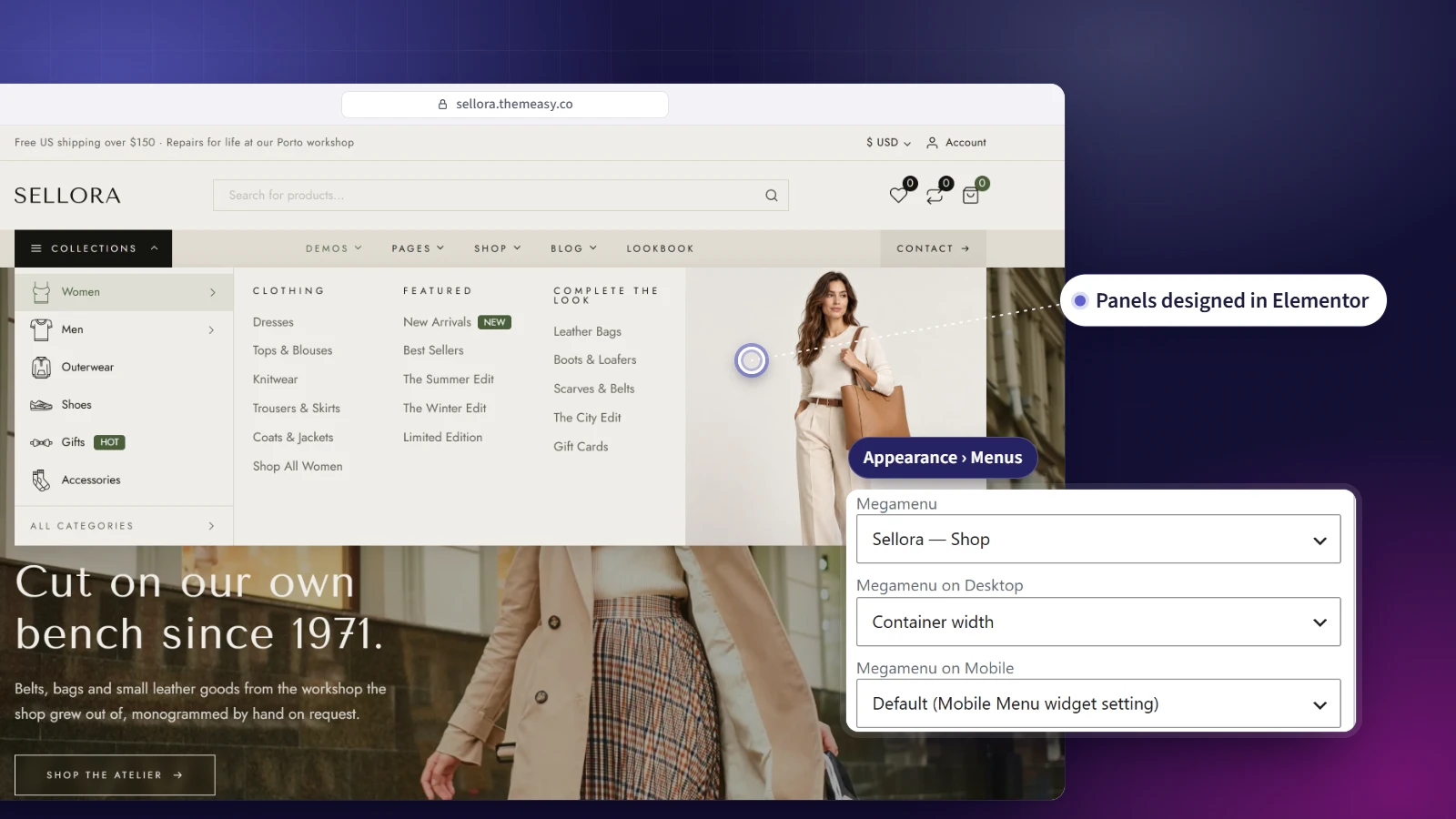
Dropdowns worth designing. Turn any top-level menu item into a full Elementor-designed panel, with multi-column link lists, image cards and promo banners.
|
|
Colors & Typography
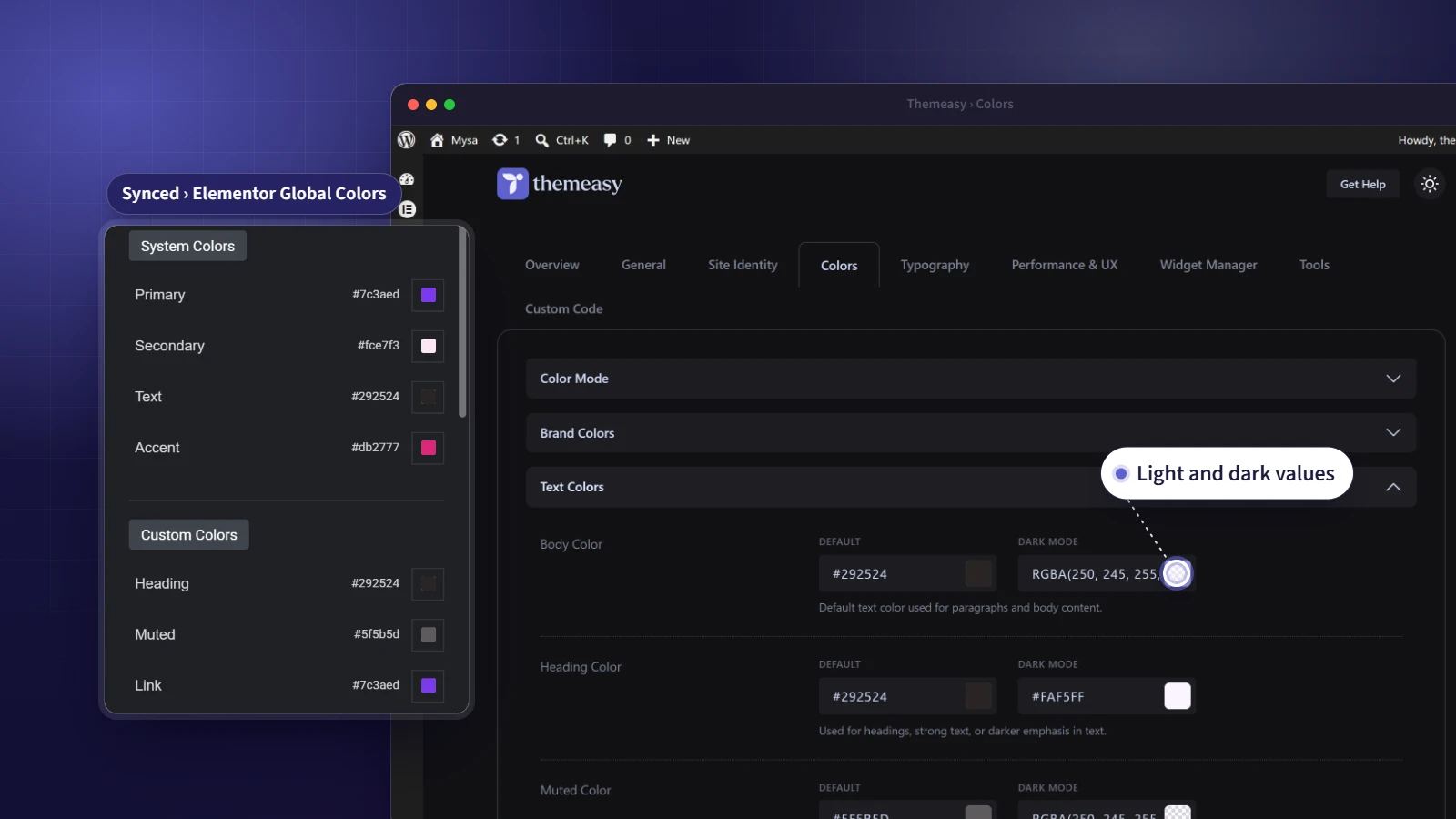
Your design system, defined once. Set brand colors with light and dark values, a responsive type scale and eight display styles, then watch them flow into Elementor’s native pickers.
|
|
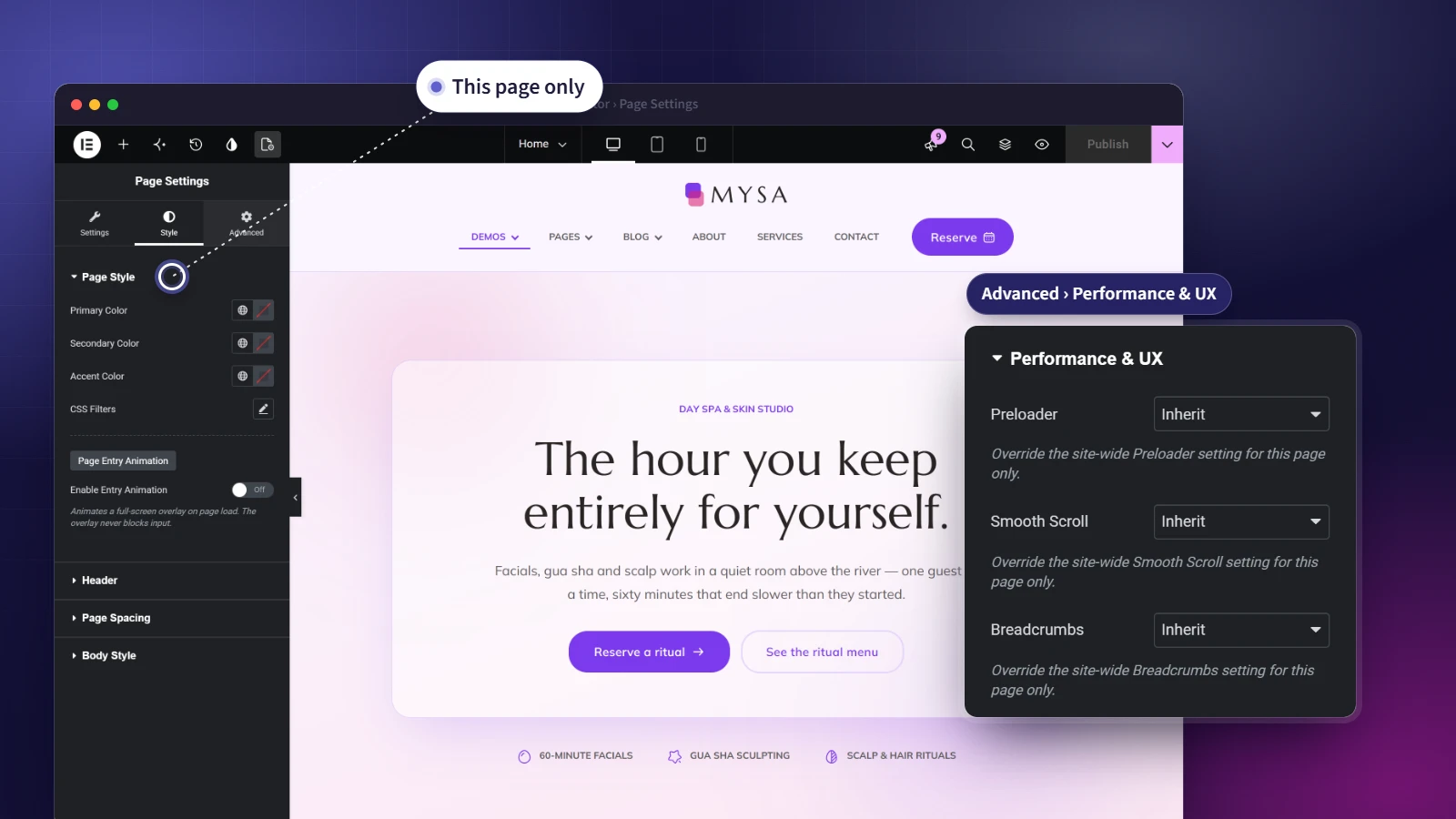
Per-Page Control
Override anything, for just one page. Tune colors, spacing, entry animations, the header and performance on a single page, without touching your global setup or writing code.
|
|
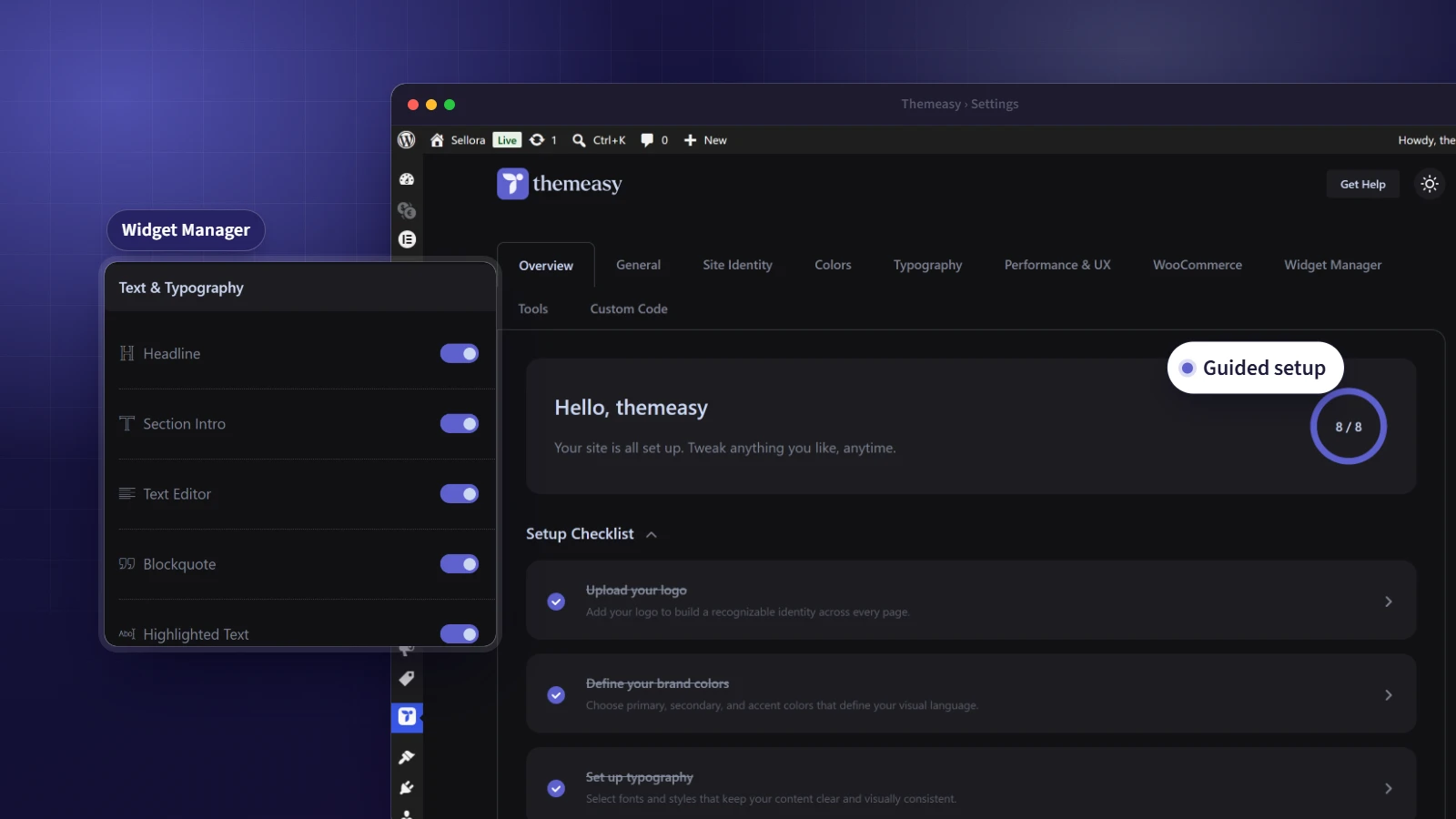
Settings Panel
One panel to run your whole site. Site identity, layout, performance, custom code, a widget manager and one-click export/import. Every global setting, in one tidy place.
|
|
Ourax Template Library
The theme’s own sections, one click away. Ourax ships with a local template library: 12 sections from its demo, packaged with the theme. Insert them from the Elementor editor in one click. The library keeps working forever, even offline.
|
|
WooCommerce Suite
Ready when you add a store. Install WooCommerce and the Themeasy plugin restyles the shop, product, cart and checkout pages, with AJAX filtering, quick view, wishlist, compare and swatches.

Requirements and compatibility
- WordPress 6.8+
- Elementor 3.25+
- PHP 7.4+ (8.1+ recommended)
- The free version of Elementor: Elementor Pro is not required
- Required plugins, installed by the setup wizard: Themeasy, Elementor, Contact Form 7
- Translation ready, with .pot files for the theme and the plugin
- WPML configuration file included
- Compatible browsers: Firefox, Safari, Opera, Chrome, Edge

Updates and support
Support and Themeasy plugin updates follow your ThemeForest support period: six months with every purchase, or twelve when you extend support at checkout. When the period ends, Ourax and every plugin feature keep working.
Included in the package
- ourax.zip: the WordPress theme
- Documentation
- Licensing
- Plugins
Credits
The demo images are for preview only and are not included in the purchase. Replace them with your own before you launch.
- Unsplash: demo photos
- Google Fonts: Figtree and DM Mono
Changelog
Version 1.3.0 / Nov 24, 2026
Theme Setup now asks for Themeasy 1.3.0.
ThemeForest: on a theme bought on ThemeForest, every Themeasy feature runs without a purchase code. The code still unlocks updates, the demo import and installing the bundled plugins from Theme Setup.
Theme Setup's license step links to the theme's ThemeForest page.
Required plugins screen: it no longer asks for a plugin Theme Setup skips, no longer holds admin pages while it checks for updates, keeps its table when a wordpress.org lookup fails, and opens the Themeasy docs from a plugin's name.
Version 1.2.2 / Nov 4, 2026
Theme Setup: a required plugin from wordpress.org that your site cannot run (Contact Form 7 now needs PHP 8.3) no longer stops the demo import. The Plugins step says why, and the demo imports without it.
Demo: the social and footer links lead somewhere.
Theme Setup now asks for Themeasy 1.2.2.
Version 1.2.1 / Nov 3, 2026
Theme Setup now asks for Themeasy 1.2.1.
Version 1.1.5 / Oct 30, 2026
Theme Setup opens faster: it shows your license from what the site already knows, then checks it with Freemius.
Theme Setup: the Get a License button shows only while the theme has no active license, and opens the theme's ThemeForest item.
Theme Setup now asks for Themeasy 1.1.5.
Version 1.1.4 / Oct 26, 2026
Security: the bundled Freemius SDK is updated to 2.13.5, a security release.
Theme Setup: with the White Label of a Themeasy Agency license, the wizard shows your logo, name and help link, and Appearance > Themes shows your name as the theme author.
Theme Setup now asks for Themeasy 1.1.4.
Version 1.1.3 / Oct 21, 2026
Theme Setup: the Import step asks before it changes your permalink structure to match the demo.
Theme Setup: the License step says what your purchase code or license key turns on: the bundled plugin, the demo import and updates.
The readme credits the bundled third-party resources with their licenses.
Theme Setup now asks for Themeasy 1.1.3.
Version 1.1.2 / Oct 21, 2026
Demo: two new home pages, Home Editorial and Home Showcase.
Passes Theme Check and the Envato Theme Check with no required notice and no warning.
Blog, comments and widgets: nested lists and replies, comments by the post author, wide tables, the sticky post badge and drop caps are styled.
Attachment pages open the media file; to send them to the parent post, turn on Redirect Attachment Pages in Themeasy > Settings.
Theme Setup now asks for Themeasy 1.1.2.
Version 1.1.1 / Oct 19, 2026
Theme Setup now asks for Themeasy 1.1.1.
Version 1.1.0 / Oct 19, 2026
Theme Setup in three steps: activate the license, install the required plugins, import the demo.
Version 1.0.1 / Jun 16, 2026
Licensing flow, setup wizard and packaging refinements.
Version 1.0.0 / May 1, 2026
Initial release.