
Hayler Wordpress Theme - Rating, Reviews, Preview, Demo & Download
Theme Description


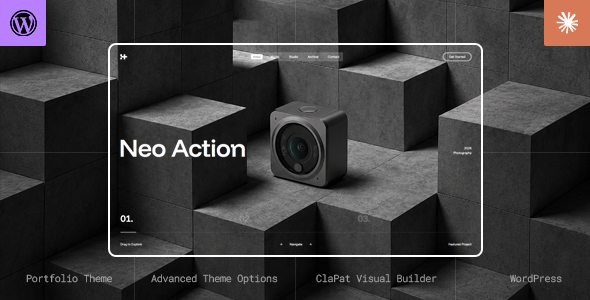
Hayler is a premium creative portfolio WordPress theme built for designers, agencies, photographers, and studios. It is the WordPress edition of the Hayler HTML template: GSAP motion, Lenis smooth scroll, AJAX page transitions, and the same showcase language, now edited in Gutenberg with Hayler Blocks.

Install the theme, switch on the bundled plugins, activate the license, and you are in ClaPat Options. Import the Gutenberg demo if you want the live preview look. Then build pages and projects in the block editor. No Elementor. No third-party page builder.
The front-end is the ClaPat engine used on the Hayler HTML template, rebuilt for modern creative sites after 15 years and 40,000+ sales. Colour, type, header, footer, cursor, and listing defaults live in the admin. Layout on the canvas is Hayler Blocks: Row, Columns Group, Column, then lists, media, and elements.
Who is it for?
- Creative agencies that need a premium WordPress portfolio
- Freelance designers and photographers building a site they can edit
- Studios showing case studies and client work
- Developers who want the Hayler HTML front-end with WordPress content
WordPress, not a page builder
- Gutenberg + Hayler Blocks — insert Row from Hayler Blocks, not core Columns, and not Elementor
- ClaPat Options — site-wide settings: Appearance, Cursor, Preloader, Header, Footer, Typography, Custom Fonts, and Page Templates
- Page Options — per-page and per-project metabox (hero, background, listing filters)
- Portfolio custom type — items the Grid, Slider, Carousel, and Lists templates display
- Child theme — create Hayler Child from ClaPat Options → Setup, or install hayler-child.zip
- Gutenberg demo import — ClaPat Options → Demo Importer (license required), or the XML in the full pack
- Online HelpCenter — searchable docs, not a PDF in the zip
- ClaPat AI Assistant (recommended) — in-admin help from that same HelpCenter; add an AI provider key under Settings → Connectors
Technology
- WordPress 6.0 or newer (tested up to 7.1)
- PHP 7.4 or newer (use a currently supported PHP on a live host)
- GSAP — scroll effects, page transitions, and block motion
- Lenis — optional smooth scrolling (ClaPat Options → Settings)
- AJAX page transitions — optional; switch on Load Pages With Ajax under Settings. Off is a full load (better for plugins that bind only once)
- Compatible browsers: Chrome, Firefox, Safari, Edge
Page templates
- Default — hero + Gutenberg canvas for about, contact, and studio pages
- Portfolio Grid — category filters, optional grid/list toggle, thumb-to-fullscreen cover
- Portfolio Slider — full-screen showcase slider
- Portfolio Carousel — horizontal project carousel
- Portfolio Lists — vertical archive-style list
- Portfolio Item — the project page; hero, Gutenberg body, credits modal, next-project navigation
- Blog — posts with a header-opened sidebar (not a column beside the list)
- 404 — captions and defaults under Page Templates
Listing captions, slugs, filters, and next-project behaviour are site-wide under ClaPat Options → Page Templates. Assigning a template is still on the page.
Interactions and motion
- AJAX page transitions with transition covers (when enabled)
- Parallax showcase slider, horizontal carousel, and lists showcase
- Content Slider block for a horizontal run of images inside a page or project
- Lenis smooth scroll (when enabled)
- Parallax on hero media, footer, images, and backgrounds
- Scroll animations on enter (including Appear Effect on core Heading and Paragraph)
- Pinned Row and Pinned Column
- Trail Gallery (images follow the cursor on a Row or Column)
Portfolio
- Portfolio Grid with category filters
- Grid / list layout switch (can be turned off per site)
- Custom portfolio URL slug
- Next-project chrome, order, same-category navigation
- Auto-navigate to the next project at scroll end (on by default)
- Project credits modal (titles, body, live-site button)
- Light or dark background type per page and per project (header follows)
- Portfolio Grid block for a selected-work band on a Default page
Hayler Blocks
Layout: Row, Columns Group, Column, Footer Row (widgets only)
Lists: Flex Lists, Pinned Lists (six animation modes), Cylinder Lists, List Rotator, Linked List Gallery
Media and motion: Image (lightbox or parallax), Video (local MP4 player, not YouTube/Vimeo), Content Slider, Marquee, Text Rotator, Counter
Elements: Button, Accordion, Clock, Copy Email, Team Member, Clients Slider, Divider, Column Spacer, Sitemap (footer only)
Header, footer, cursor, preloader
- Classic or fullscreen menu; dual black/white logos
- Custom header button (caption, URL, same tab or new tab)
- Header inverts while a dark Row is in view
- Slim footer, or a large widget footer (Footer Row, optional parallax, invert-header pair)
- Magic cursor with size, colour, and contextual icons (Zoom, Play, Drag, Next…)
- Animated preloader (caption, colours; on by default)
Typography and colour
- Primary and Secondary colours, gutters, and site colour scheme in Appearance
- Light or dark page colour scheme; a page can still disagree in Page Options
- Typography slots in ClaPat Options (leave Theme Default to keep Hayler’s fonts)
- Custom Fonts: upload licensed files you host, then assign them on Typography
- Google Fonts remain available on that same Typography screen
What is in the pack
- Installable WordPress file only — hayler.zip (parent theme)
- All files & documentation — hayler.zip, hayler-child.zip, demo-data/gutenberg/import.xml
Do not upload the outer pack. WordPress needs hayler.zip.
Bundled (Appearance → Install Plugins):
- Hayler Core (required) — portfolio type, slides, templates
- ClaPat Framework (required) — ClaPat Options, typography, license, Setup, demo importer
- ClaPat Builder (recommended) — Hayler Blocks in the editor
- ClaPat AI Assistant (recommended) — in-admin HelpCenter answers; needs an AI connector key
Not bundled (install when you need them):
- Contact Form 7 — Hayler styles a form in
#contact-formularon a Default page - WPML — the theme ships wpml-config.xml (portfolio type, categories, captions, page fields)
What makes Hayler different
Other WordPress portfolios bolt animations onto a generic theme. Hayler is one front-end: transitions, scroll, hover, and blocks are the same engine as the Hayler HTML template, wired to WordPress templates, metaboxes, and Gutenberg.
You edit content in WordPress. You do not rebuild the motion stack. Child theme for CSS and small PHP. Public filters when you need them. Parent updates stay intact.
Documentation is the online HelpCenter (Getting Started, Hayler Settings, Creating content, Blocks, Customize, Optimize, FAQ). The AI Assistant reads that same corpus.
Support
Six months of item support is included with the licence. Technical questions about Hayler as shipped go through Ticksy. Typical response is within 24–48 hours, Monday to Friday.
Covered: install, ClaPat Options, templates, blocks, and bugs. Not covered: building the whole site, or third-party plugin setup beyond what the HelpCenter already documents. Paid customization is a separate quote; open a ticket with the brief.
If Hayler does not match the HelpCenter, open a ticket and treat that as our error.
Built by ClaPat, Power Elite Author on ThemeForest since 2009, 40,000+ sales, 4.47 average rating.
Requirements
- WordPress 6.0+ (tested up to 7.1)
- PHP 7.4+ (prefer 8.2+ on a host you will keep)
- A clean WordPress install for demo import
Credits
- GSAP by GreenSock — gsap.com
- Lenis — github.com/darkroomengineering/lenis
- Font Awesome — fontawesome.com
- Demo images are not included. Sources used on the preview: Unsplash, Pexels
Changelog
- v1.0.0 — Initial release. Gutenberg Hayler Blocks, ClaPat Options, portfolio templates (Grid, Slider, Carousel, Lists), HelpCenter, optional AI Assistant.